
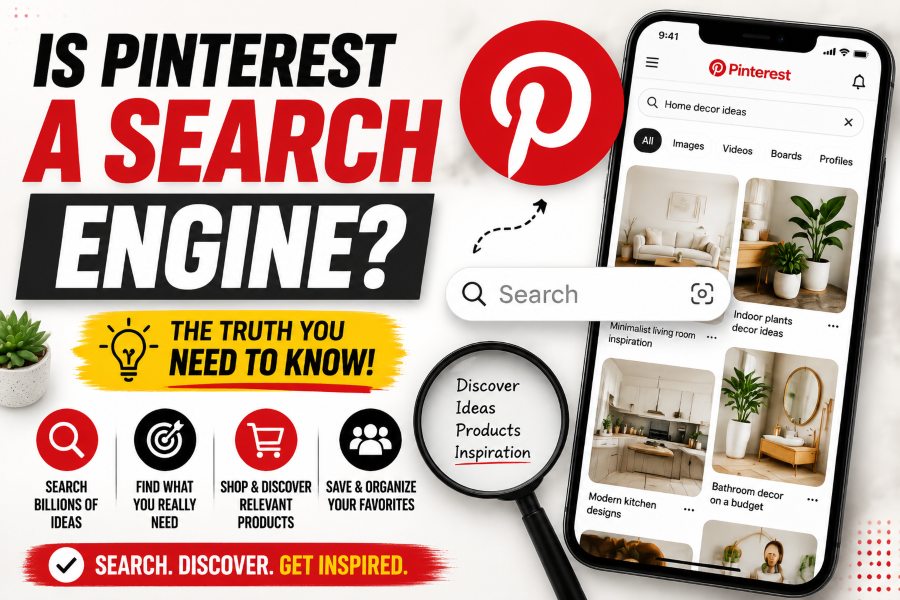
Yes. Pinterest describes itself as a visual discovery engine, and it functions like a search engine for ideas, products, tutorials, inspiration, and planning. Users type keywords into the search bar, explore suggested topics, use visual search, and click Pins that match what they want to make, buy, learn, or save.
Pinterest also has social features such as following, messaging, comments, and profiles, so it is not identical to Google or a traditional social network. The most accurate description is a visual discovery platform with a powerful search system.
Why Pinterest Is More Than Social Media
On many social platforms, people open the app mainly to see recent posts from accounts they follow or to consume an entertainment feed. Pinterest users often arrive with a project or future intention: planning a room, choosing an outfit, finding a recipe, organizing a wedding, comparing products, or learning a process.
That intent makes search central to the experience. A Pin can continue appearing in search and recommendations long after it was published. Content is organized around topics and usefulness, not only around the creator’s latest update.
How Pinterest Search Works
A user can type a phrase such as “small home office ideas” into the search bar. Pinterest returns Pins, products, videos, boards, and related suggestions that appear relevant. The platform can use the words in the Pin title and description, the destination page, board context, visual content, account history, user behavior, and engagement signals to understand what the Pin is about.
Pinterest also recommends ideas in the home feed based on recent activity, saved Pins, followed accounts, and inferred interests. Search and recommendations overlap: a strong understanding of topic relevance can help a Pin appear both when someone searches and when Pinterest predicts the person will find it useful.
What Is Visual Search?
Visual search lets people discover ideas based on an image rather than only typed words. A user can focus on an object inside a Pin, use camera-based features, or explore visually similar results. This is valuable when the person can recognize a style, product, plant, pattern, or design but does not know the exact phrase to search.
For creators and businesses, visual search means the image itself carries meaning. Clear subject matter, relevant styling, useful composition, and consistency between the image and linked page can help Pinterest understand and serve the content.
Pinterest vs Google Search
Google searches the wider web and answers a broad range of informational, navigational, local, commercial, and transactional queries. Pinterest focuses more heavily on visual ideas, inspiration, planning, shopping, and creative discovery. A Google result may lead to an article, map, video, product, or direct answer; a Pinterest result is commonly presented as a visual Pin that can be saved to a board.
User behavior also differs. Someone may search Google for a quick fact and leave immediately. On Pinterest, the same person may compare many ideas, save options, create a board, and return weeks later. This longer planning cycle can make Pinterest valuable for topics connected to future purchases and projects.
The platforms can work together. A useful article can rank in Google, while images from the same article can attract Pinterest searches and send referral traffic to the website.
Pinterest vs Instagram and TikTok
Instagram and TikTok rely heavily on feeds, creators, entertainment, and current engagement. Both platforms have search and discovery systems, but Pinterest is structured more explicitly around saving and organizing ideas for later use. Boards give content a planning context that is less central on short-form video platforms.
Pinterest content can be less dependent on a creator’s personality. A useful diagram, room idea, recipe image, checklist, or product comparison may perform because it matches a search need, even when the account is not a celebrity brand.
TikTok creators can organize discussion around a video when interaction tools are available. Buzzetra’s guide on how to pin a comment on TikTok explains the current steps and what to do when the pin option does not appear.
What Is Pinterest SEO?
Pinterest SEO is the practice of making Pins, boards, profiles, and linked pages easier for Pinterest to understand and match with relevant searches. It includes keyword research, clear titles, natural descriptions, focused board names, useful images, accurate destination links, and consistent topic coverage.
SEO on Pinterest is not about repeating a keyword as many times as possible. The platform needs clear context and a good user experience. A Pin titled “Kitchen Ideas” is vague, while “Small Galley Kitchen Storage Ideas” explains the topic and search intent more precisely.
How to Find Pinterest Keywords
Start typing the main topic into Pinterest search and observe autocomplete suggestions. These phrases reflect ways users explore the topic, although they should be treated as discovery ideas rather than exact public search-volume data. Open relevant results and note suggested refinements, related themes, and language used across strong Pins.
Group keywords by intent. A broad phrase such as “living room ideas” can become “small living room ideas,” “modern living room color ideas,” or “renter-friendly living room storage.” Each phrase represents a more specific problem and can support a separate Pin or article.
Use keywords that genuinely match the linked content. Sending a user to an unrelated page may create a poor experience and weaken trust.
Where to Use Keywords
Place the primary topic naturally in the Pin title and description. Use a focused board name and board description that explain the category. Keep the profile name and bio aligned with the account’s main themes when the profile represents a business or publisher.
The destination page should reinforce the same subject through its page title, headings, copy, image context, and metadata. Pinterest can evaluate the relationship between a Pin and the page it links to, so consistency matters.
Do not stuff long lists of unrelated keywords into descriptions. Write for a person who wants to understand what they will get after clicking.
What Makes a Pin Search-Friendly?
A search-friendly Pin communicates one clear idea. The visual is easy to understand on a mobile screen, the title matches the search need, the description adds context, and the destination page delivers what was promised. Strong contrast and readable text can help when text is necessary, but the design should not become cluttered.
Original, useful content is more defensible than a generic image. Tutorials, before-and-after examples, checklists, product use cases, seasonal ideas, and step-based visuals give users a reason to save or click.
Fresh Pin designs can help distribute the same high-quality page to different relevant searches, but avoid uploading large numbers of near-identical or misleading Pins.
Do Followers Matter on Pinterest?
Followers can help early distribution and brand recognition, but search relevance allows content to reach people who do not follow the account. This is another reason Pinterest behaves like a search and discovery engine rather than only a follower-based network.
A small account can still earn visibility when a Pin clearly matches a useful query and leads to quality content. A large follower count does not guarantee search performance if Pins are vague, repetitive, or disconnected from user intent.
How Long Can Pinterest Content Perform?
Pinterest content can remain discoverable for months or longer when the topic stays relevant. Seasonal content may return each year, while evergreen ideas such as organization tips, recipes, educational resources, and home projects can continue receiving impressions over time.
This does not mean every Pin performs forever. Trends, competition, design quality, landing-page availability, and platform changes affect distribution. Review analytics and update important content when information, products, or links become outdated.
Pinterest for Business and Website Traffic
Pinterest can send users from a Pin to a website, online store, article, product page, or resource. The platform is especially relevant when the content solves a visual or planning-oriented problem. Recipes, fashion, beauty, travel, home design, education, crafts, events, and product inspiration are common examples, but many other topics can work with the right creative approach.
Traffic quality depends on alignment. A beautiful Pin may earn clicks, but the landing page must load quickly, work on mobile, and provide the promised information. Track outbound clicks, engaged sessions, email signups, leads, and sales rather than judging success only by impressions.
For B2B prospecting rather than visual discovery, a platform-specific sales tool may be more appropriate. See what LinkedIn Sales Navigator is for an explanation of advanced lead search, account alerts, and sales workflows.
Common Pinterest SEO Mistakes
The first mistake is treating Pinterest as an image storage site. Uploading attractive pictures without titles, context, or a relevant destination gives the system little information. The second is using broad keywords that do not match a specific intent.
Other mistakes include linking every Pin to a homepage, using broken or slow pages, copying the same description across unrelated Pins, publishing misleading graphics, ignoring seasonal lead time, and measuring only follower growth. Avoid keyword stuffing and low-value mass production.
Pinterest rewards useful discovery. Build content around real questions and projects, then create visuals that help people decide to save, explore, or click.
Understanding Pinterest Search Intent
Search intent explains what a person hopes to accomplish after entering a phrase. Informational intent may involve learning how to organize a pantry. Inspirational intent may involve collecting color palettes for a future kitchen. Commercial intent may involve comparing storage products, while transactional intent may involve choosing an item to buy now.
Create Pins that match the stage. A broad inspiration collage can work for an early planner, while a product comparison, measurement guide, or step-by-step tutorial supports someone closer to action. Do not send every searcher to the same generic homepage. Link each Pin to the page that best satisfies its promise.
Pinterest queries often become more specific as a project develops. A user may begin with “wedding ideas,” then search “small garden wedding decor,” and later search “sage green table runner.” Build clusters of related content that serve this progression. A board can organize the broader theme while individual Pins address detailed questions.
Seasonality changes intent as well. Publish planning content early enough for users to discover, save, compare, and act before the event. Review Pinterest Trends and your own analytics where available, but combine data with common sense about how long the audience needs to prepare.
Test, Measure, and Refresh
Treat Pinterest SEO as an ongoing publishing system. Compare impressions, saves, outbound clicks, and results on the destination page. Test different useful angles rather than changing only colors. Update or replace Pins when links break, products disappear, seasonal dates pass, or advice becomes outdated. A steady library of accurate Pins connected to strong pages is more valuable than a short burst of low-quality uploads created only to increase volume.
Related Buzzetra Guides
- How to See Who Is Stalking Your Facebook Profile
- What Happens When You Restrict Someone on Instagram?
- How to Pin a Comment on TikTok
- What Is LinkedIn Sales Navigator?
Frequently Asked Questions
Is Pinterest officially a search engine?
Pinterest describes itself as a visual discovery engine. It includes search, recommendations, visual discovery, saving, shopping, and social features.
Can Pinterest Pins rank on Google?
Pinterest pages and Pins can appear in Google results when Google indexes them and considers them relevant. Performance depends on many factors outside the creator’s control.
Do hashtags help Pinterest SEO?
Pinterest features change over time, and hashtags should not replace clear keywords. Focus first on accurate titles, descriptions, boards, visuals, and landing-page relevance.
How often should a business post on Pinterest?
There is no universal number. Choose a sustainable schedule that prioritizes original, useful Pins and gives you enough data to learn which topics and designs perform.
Is Pinterest good for every business?
Not equally. It is strongest when customers use visuals to plan, compare, learn, shop, or save ideas. Test topic demand and traffic quality before making it a major channel.
Final Takeaway
So, is Pinterest a search engine? Yes—more precisely, it is a visual discovery engine with social and shopping features. People use keywords and images to find ideas, organize them into boards, and return when they are ready to act. Creators and businesses can improve visibility by matching real search intent, using clear visual content, writing accurate titles and descriptions, and linking to a helpful page.